The first version of Airport Tycoon began from an assumption that everything would line up: three.js had already produced a playable 3D demo, so handing the same task to Godot should just mean a bigger canvas. More geometry, better lighting, a real engine — the result ought to land closer to a finished product.
What actually happened was three reworks. The first: planes sank into the ground on landing. The second: the airport had no taxiways, no jet bridges, no terminal worth the name. The third: I asked it to become a finished product. None of them was the model failing to write code. Each time the engine separated “looks finished” from “is finished”.
From browser to engine
The feedback loop in the browser is short: save, refresh, screenshot, read the console. The DOM and the canvas can both be inspected, and an error usually has a clear stack. Godot is not like that. It has its own scene tree, asset import, node lifecycle and export pipeline. First you confirm the engine starts, then that the scene loads, then that the camera, lighting and collision take effect — and only then whether it looks good.
That is not a flaw; it is what an engine costs. It gives you real 3D tools and splits the feedback into more layers. What the agent has to learn is no longer “write some JavaScript that runs”, but “launch a project, read its log, take a screenshot you can judge, then change the next thing”.
The most effective tool in this experiment was not a prompt. It was treating Godot as an observable external program: launch it from the command line, screenshot from a fixed camera, confirm scene state from the logs. Without that layer of observation, the model can only write engine code from imagination.
The first version looked like a toy
The first version had planes, runways and a terminal, plus takeoffs, landings and revenue. It was playable, but it looked like a few boxes dropped on a lawn. The cause was not a lack of materials: the scale, the hierarchy and the basic components of an airport were all wrong.
A plane parked beside a terminal with no jet bridge attached is read as fake at once. A runway with no taxiway beside it makes planes lift off in place like helicopters. A terminal that is only a row of glass boxes, with no relation between the access road, the entrance, the gates and the tower, is not an airport — it is a scene with planes in it.
“Generate a bit more art” does not fix this. It needs an airport kit: runway, taxiway, stands, jet bridges, terminal, tower, hangars, fuel farm, and the spatial relations between them. Without those relations, the harder the model works on detail, the more the frame looks like a pile of individually correct parts.
Clipping is not a rendering problem
A plane sinking into the ground on landing looks like a rendering bug. It is a state problem: landing-gear height, the offset from the plane's origin to the ground, the runway's height, the last frame of the landing animation. If any one of them is misaligned, the plane sinks.
This kind of error is common in the browser too, but Godot makes it more visible, because the scene has a real node hierarchy and colliders. You cannot look at a screenshot and call it close enough; you have to put the plane on the ground and check the contact point between wheels and runway. Visual ground contact is a geometric contract, not a material parameter.
Only after the clipping was fixed did the second layer appear: the plane parked correctly, but no jet bridge connected to it; the jet bridge arrived, but no taxiway linked it to the runway; the taxiway arrived, but the terminal's proportions were wrong. Every fix for “this looks wrong” exposed the next “this is structurally wrong”.
An airport is not one building
A real airport is a process system: the plane leaves the runway, taxis to a stand, the jet bridge docks, passengers get off and on, refuelling and catering and maintenance happen, then pushback, taxi, takeoff. Every step needs space and state. Build only a terminal and you get a postcard; build the process and you get a management game.
So the second version added structure rather than textures: taxiways, gates, jet bridges, stands, tower and hangars. Planes stopped being models moving across the ground and became operating objects with flights, schedules, boarding and maintenance state. That was the first point at which the game looked like an airport.
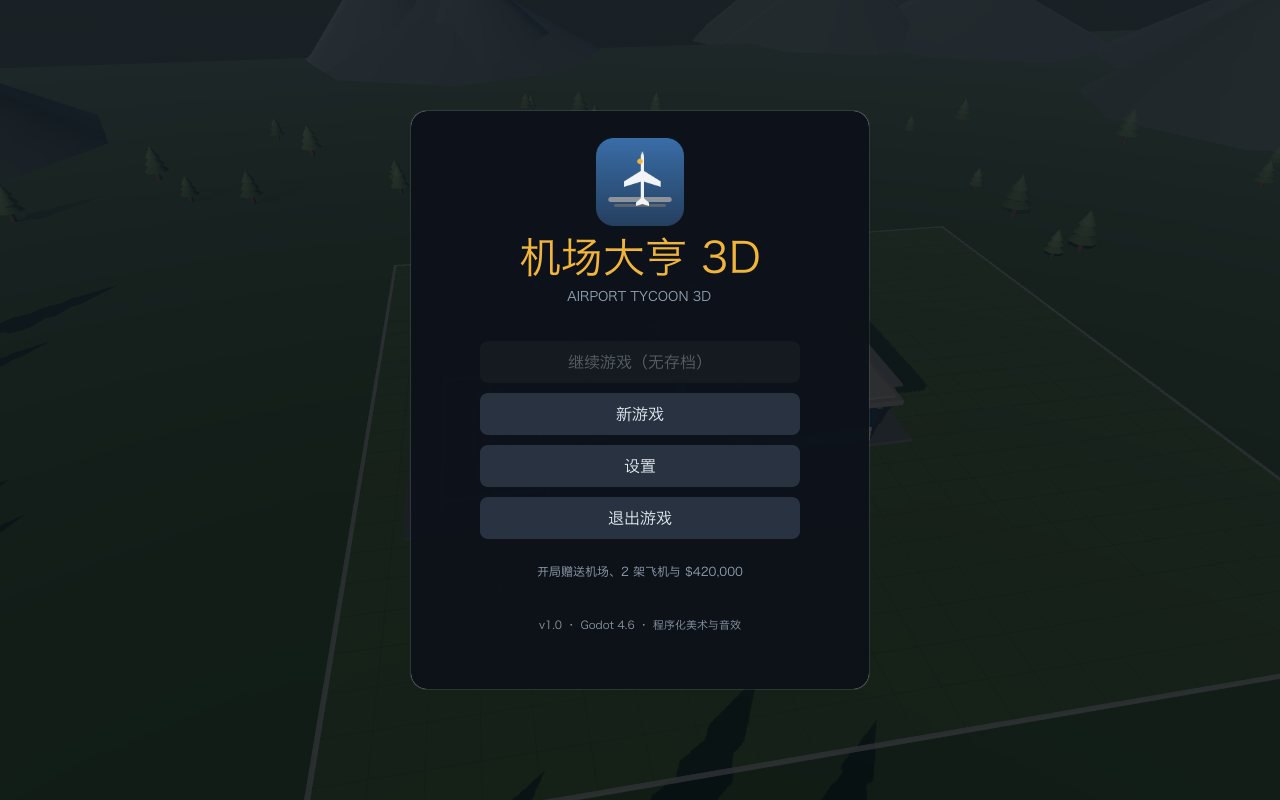
The product layer
“It can take off and make money” is still not a product. A product needs a main menu, pause, settings, saves, win and bankruptcy screens; it needs buying, leasing, reselling, maintenance and condition decay; it needs routes, fares, demand and eight kinds of random event. The player has to know why they are making money, and why they are losing.
These systems are not “content”; they are the skeleton of the product. Without them, a simulation can be as real as it likes and a player will wander around it for five minutes. With them, even plain visuals will keep a player starting one more run, as long as the loop is complete and the feedback is clear.
The clearest dividing line in this rework was not “more models were added” but “a complete game flow started to exist”. Main menu, management, pause, results, autosave — the unglamorous things are the line between a demo and a product.
Distribution is design too
Godot gives you desktop builds and takes away one advantage of the browser: open it and play. Airport Tycoon is currently a macOS / Windows / Linux project with no Web export. For a demo that wants people to click and try it, that is a real loss.
That does not mean going back to the browser. The scene capability, lighting and tooling an engine brings are real. It means distribution has to be designed early: a downloadable desktop demo, a web slice, or a two-minute capture of the thing actually running? The three serve different purposes, and the decision cannot wait until the end.
In the end the project put the engine project, screenshots and notes into a public repository instead of pretending it had a web build. A plain choice: show what exists, and do not describe an unexported web build as coming soon.
What I learned
- An engine is not a bigger canvas; it is a longer feedback chain. Build the observation tools before letting the agent write content.
- Visual errors are usually geometric contracts. Clipping, ground contact, jet-bridge docking are coordinate and state problems, not material problems.
- A scene reads as real through relations, not parts. Get the relations between runway, taxiway, stands and terminal wrong and no number of models will look like an airport.
- The product layer needs its own budget. Menus, saves, results, events and failure feedback must not be eaten by “polish the visuals a little more”.
- Distribution is a design constraint. Desktop, web and video demos are three different products; do not promise them interchangeably.
If I did it again I would settle three things first: a scale table for the airport, one fixed camera that can be inspected, and a product-layer checklist. Make the plane sit correctly on the ground before making it look good; make one run finishable before making it big.
References / The uploaded Godot project and screenshots: NorwinYu/airport-tycoon-3d. Project page: Airport Tycoon 3D. This is a development postmortem, not a product review; the text contains no local paths, network addresses or keys.